
Whiteboard and video on one screen
You and your student write, draw and solve on the same board in real time, with video built in. There is no separate call link and nothing to switch between mid-explanation.
For independent tutors
Whiteboard and video on one screen, every board saved for every student, AI quizzes and flashcards between lessons, and a lesson summary parents can read. I built T-Board for my own students, and I use it in every lesson I teach.
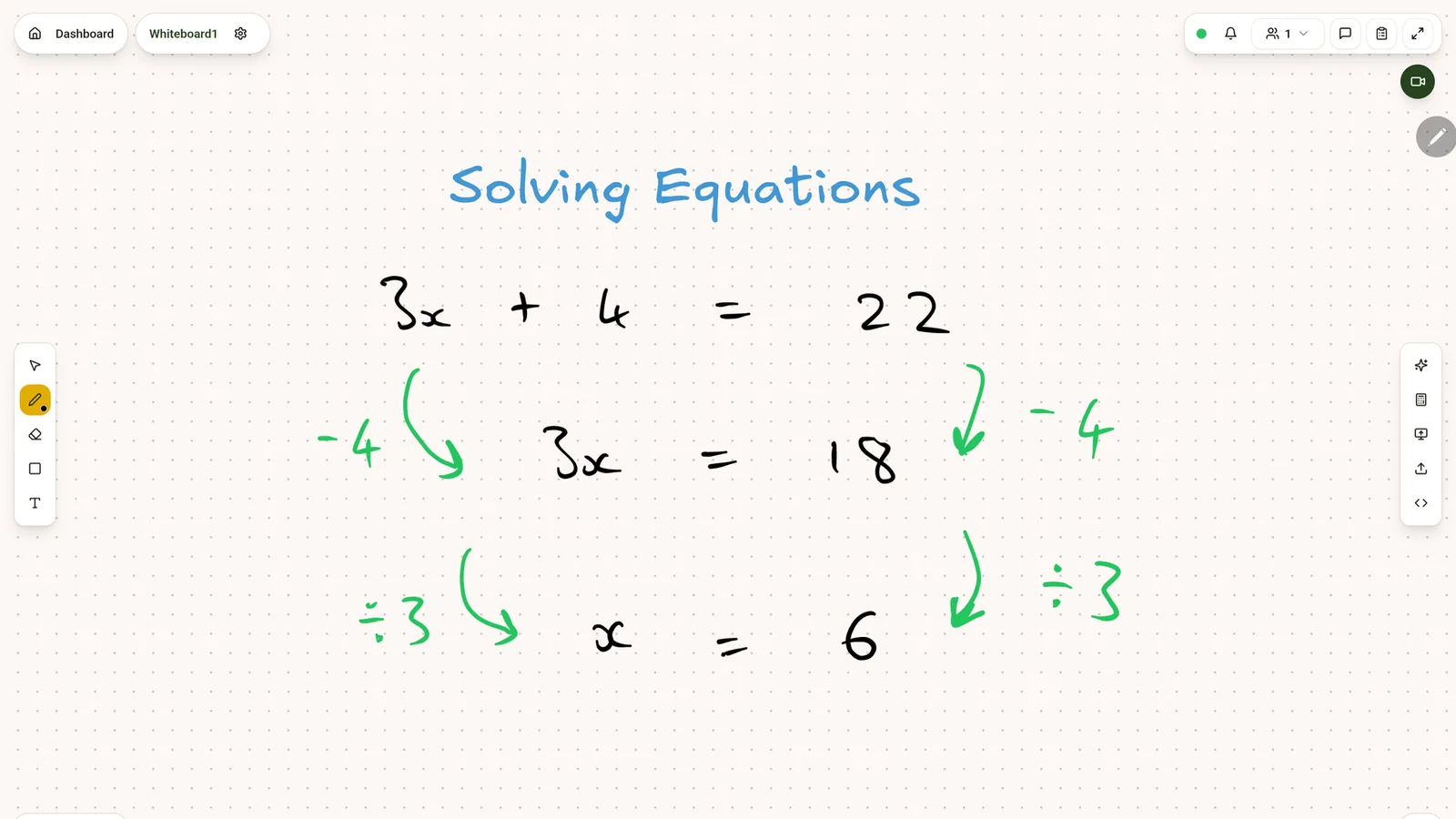
Every lesson at Tutor T's Tuition is taught on T-Board, and every invoice and lesson summary goes out through it. Each feature exists because a lesson needed it.
Four things that replace the video call, the separate whiteboard, the worksheets by email and the end-of-term message to parents.
You and your student write, draw and solve on the same board in real time, with video built in. There is no separate call link and nothing to switch between mid-explanation.
Each student's boards are kept in your library, so last week's working is one click away. Students can open their own boards between lessons to revise from them.
When a lesson ends, send a short summary of what was covered and what comes next. AI can draft it from the board for you to check first. Students and parents read it in their own logins, so nobody has to message you to ask how it went.
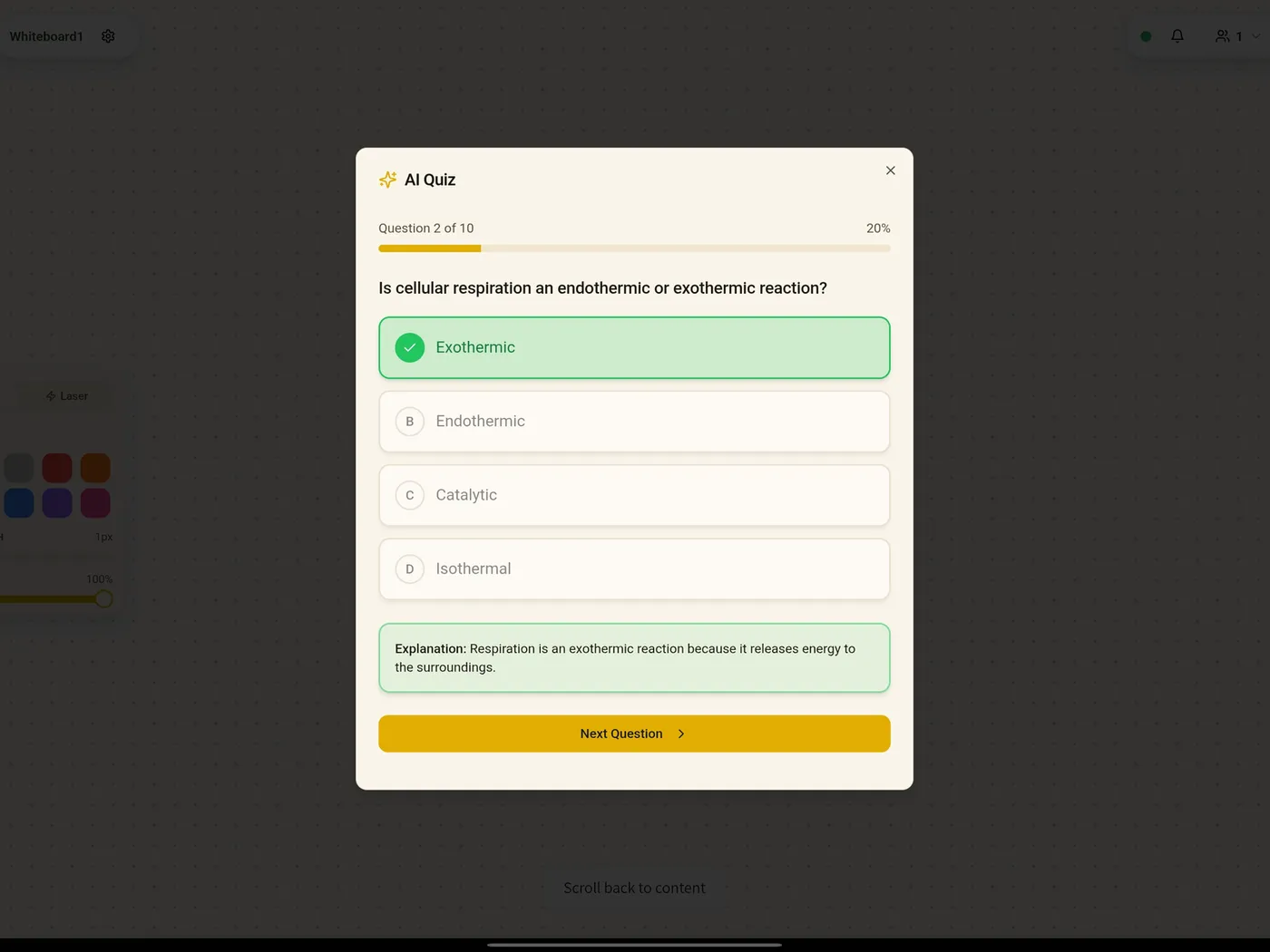
A student can generate a revision quiz or a flashcard deck on any topic in seconds, with an explanation for each answer. Flashcards come back on a spaced-repetition schedule, and scores feed into their progress.
Sign up and your 30-day free trial starts. No card needed.
Each student joins through your invite link and is connected to you. Parents get their own login from a link you send.
Book lessons into your schedule, teach on the whiteboard with video, and send a lesson summary afterwards.
Invoices go out in your name and families pay into your own bank account or payment links.
T-Board is software you run your practice on. It is not an agency and not a marketplace.
Tutors on T-Board are not listed or searchable. Students only reach you through your own invite link.
T-Board never takes a share of lesson fees. The plan is the only thing it charges.
Invoices go out in your name and are paid into your own bank account or payment links.
The only emails they get from T-Board are your invoices, reminders and lesson summaries, sent in your name. Their data is never sold or used for advertising.
Close your account and you can export all of your students' data for 30 days before it is deleted.
Questions tutors ask
The first 30 days are free, and you do not need a card to start. After that T-Board is a paid monthly plan, which you choose in the app. Nothing is charged until you do.
No. T-Board runs in a web browser on a laptop, tablet or phone. Students and parents sign in with Google, Microsoft or an email and password, and can add T-Board to their home screen for quicker access.
You do. Students join through your invite link and are connected only to you. Tutors are not listed or searchable on T-Board, there is no commission, and families pay you directly.
Yes. The whiteboard, scheduling, lesson summaries and invoicing work for any subject. The AI quizzes and flashcards work on any topic you or a student types in.
You choose a plan in Settings to carry on. If you do not, everything stays there for you to read, while booking, boards, homework and the AI tools pause until you do. Nothing is deleted.
For the students and families you invite, you are the data controller and T-Board is your processor, under the terms you accept when you sign up. Data is stored in the EU, card numbers never touch T-Board, and bank details are encrypted. Any time the operator opens your practice for support, it is logged and shown to you in Settings. If you close your account, you can export everything for 30 days before it is deleted.
A browser and your students' email addresses. Scheduling runs through your own Cal.com account, which you connect once in Settings, and you add the bank details or payment links that appear on your invoices.
One person: Tomi Adepegba, lead tutor at Tutor T's Tuition. He designed it, built it and runs it.
Yes. Book a 15-minute demo and Tomi will walk you through the whiteboard, scheduling, lesson summaries and the parent view, with time for your questions.
Free for 30 days, with no card needed. Or book 15 minutes with Tomi and see it first.